

Two Firmwares, One StillDevice
Whats up Lab Crew,
The nes keeps coming rapid fire, as the developments in the audio world are starting to ratchet up in ways that will be virtually impossible to keep up with.
OVer the weekend , two critical Open source projects dropped for the MPC Sample: SAMPQOL OS and AM Mod. With vastly different approaches, one brining a completely new OS while the other revamps the current OS, there is a new player in the software development marketplace; the user.
Lets take a look at what these two operating systems have to offer while pondering what is next for hardware companies looking to stay relevant in this current marketplace.
Be Kind Little Sampler
Before looking into the differences between the two firmware, let's analyze what they both have in common
Both are free community-sourced SD-card mods that leave the device completely un-flashed. Meaning the OS runs on the SD card, and without it the stock MPC Sample Operating System will load by default.
Each is community-based and not produced or currently endorsed by Akai or inMusic, Akai’s parent company.
And that's about where the similarities end.
The two Operating systems seem to serve different functions and, essentially, two different user groups.
SampQOL OS: The Big Expansion
Developed by Snare Bes (@snarebeats), the developer of BeatOps, the current 0.3.0 version completely exploded the workflow of the MPC sample and brings it ‘up to date’ with other portable samplers in the same price range.
The flash brings sixteen dedicated drum tracks, each with 8 banks
new step edit and track view functions to edit steps per track or per pad, and the ability to add fades at the end of phrases
The mixer now has inserts on the pads, more tracks, and 8 submixes
Each pad has its own dedicated 3-band ‘kill’ EQ with visual feedback.
You can now edit sample tail on the track
Chop mode brings 128 slices and lets you link, extract, and snap the chop to the zero crossing.
It’s now possible to record pad and track mutes in the sequence
More sampling functions bring sample recording directly into the sequence
Export mixdown AND stems
New in 0.2.0 (released Nov 8, 2026):
Tuner (SHIFT + PAD 7): shows note + cents, Apply sets KEYS root note
Sidechain: Mother Ducker + Mother Ducker Input (Insert FX, Dynamics group)
Two new insert FX: AIR Compressor, AIR Stereo Width
Duplicate a track (Dup. Track), with notes/automation optional
Mute Type (Audio vs Event); mute groups for tracks/submixes; track mutes fade out in 5 ms (no click)
Per-track MIDI out, each track its own MIDI channel / external synth
Stereo per pad (left / right / blend of a stereo sample)
Record rear inputs + USB audio from a computer at the same time (Source ‘Rear+USB’)
Fades belong to the sequence where written; Song mode Quick Add; Chop Regions/Threshold up to 128 slices (was 64)
Step sequencer
New in 0.3.0 (released Nov 14, 2026):
Input FX: up to 3 insert FX on what you record - what you hear is what you record
16 USB Outputs: each track or submix to its own DAW channel (USB 3-18), record all tracks at once
Load Kit: loads samples of a drum program (.xpm) from MPC software or an MPC Live/One/X
Looper: while recording you now hear the passes already recorded (was ‘blind’)
Two more insert FX: AIR Lo-Fi, AIR Pitch Shifter
Key detection: Tuner finds a sample’s key; Auto Key assigns it to new samples at once
Screen Mirror: live MPC screen in a browser on your computer over USB - http://mpc-sample.local:7410, no setup
Erase automation in mixers (hold ERASE + move control); Pad/Track View FADER zooms 1-16 rows; COPY can swap two pads; projects go to SD card by default; Export Stems now one track per stem only
USB audio output is ~5 ms later than before (prevents short gaps); DAW recording offset may be needed
Still holds:
Tested only with MPC Sample firmware 1.3.0 (full 1.3.0.12) - ‘Do not update the MPC firmware’
Still beta - back up projects first
Runs from the microSD autorun folder, no flashing; starting without the card restores stock
Firmware 1.4 — the fork (Nov 12, 2026)
MPC Sample firmware 1.4 released Nov 12, 2026, alongside MPC OS 3.10.1 — separate official SDK for building custom effects on the Sample, plus new workflow features
SampQOL 0.3.0 is only confirmed on firmware 1.3.0 — manual: “Higher than 1.3.0: do not use the mod”
The fork: stay on 1.3.0 for SampQOL (unofficial expansion) vs update to 1.4 for the official effects SDK (official route)
Open question: MusicRadar describes the Sample 1.4 SDK as effects-only, while clips show synths on the Sample — whether instruments are supported too is unconfirmed
AM Mod half stands as drafted — current release still to check before writing
SampQOL now competes on DAW integration (16 USB outs) and screen sharing, not just on-device workflow
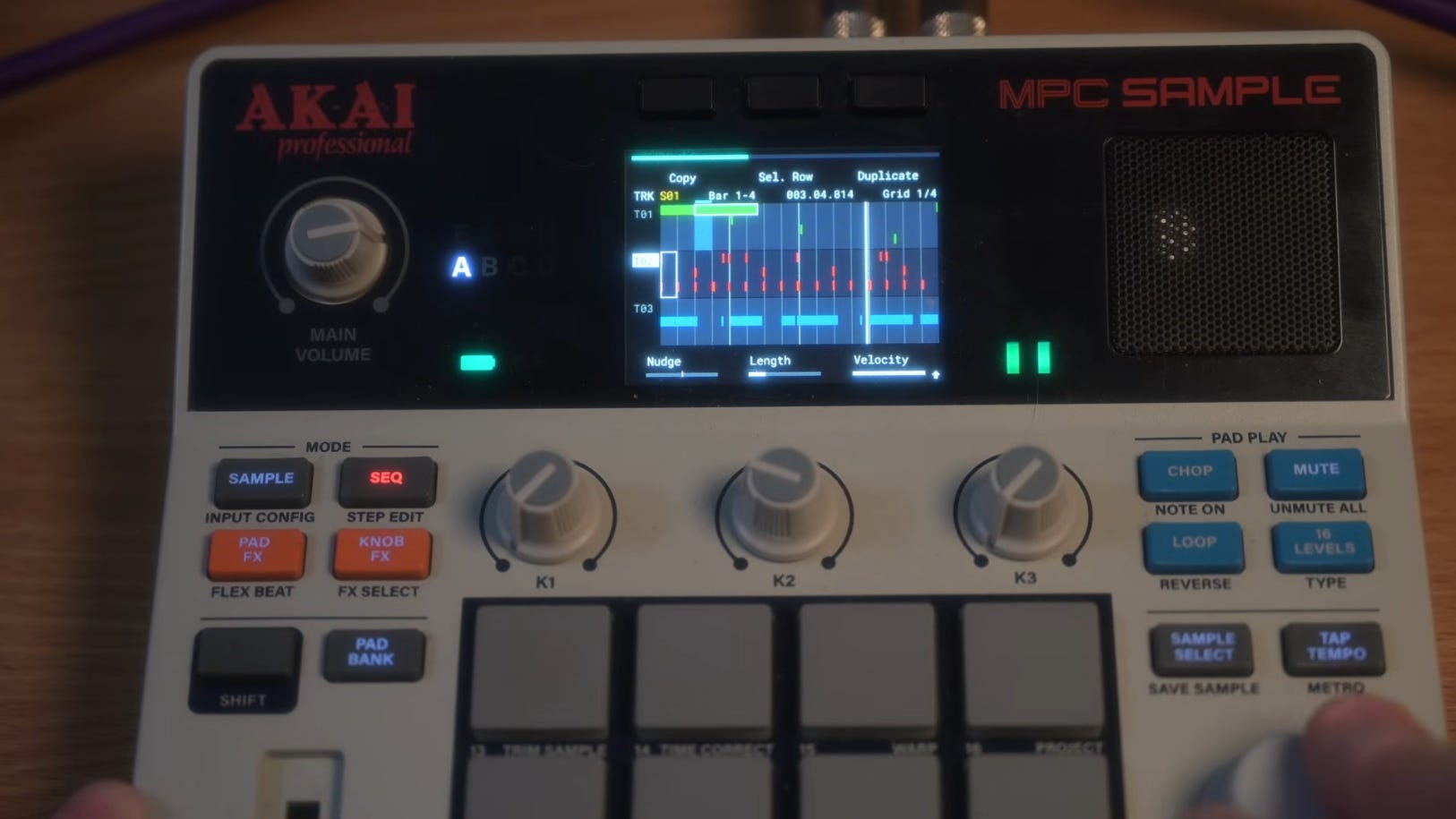
AM Mod: The Stock UI, Refined
Aleksey Malykh takes a completely different approach with the AM Mod.
The AM Mod doesn’t bring in another operating system; rather, it augments the stock workflow with a few desirable features.
First notable is the pad color: 13 colors, including the stock color per pad.
When using steps, there is now frame numbering matched up to the physical pads, and when there is an empty step, it's dimmed versus illuminated.
Now projects erase with confirmation
You can load the most recent project at startup
On the Envelope/Filter pages (B3), there's now a spectrum ‘analyzer’
Melodee
New, Nov 13, 2026
Free open-source microSD mod for the MPC Sample
Runs with no change to stock firmware (no flashing)
16 tracks
VST host
Supports SFZ, MPC keygroup, EXS, and SoundFont kits


Install: Same SD-Card Route, Different Details'
So both installers use the same install method via an autorun folder on an external SD card,
So essentially nothing changes on the device itself when that SD card is not loaded, though they work slightly differently.
AM Mod
Only works on Firmware 1.3.0.12, only on an exFAT-formatted microSD. When exiting the project, the current mod turns off. (exFAT only; FAT32 will not start the mod)
You MUST name the volume in ASCII format without spaces (IE: MPC)
You MUST save your work to the external device
careful when updating MPC firmware past the supported version
SampQOL OS vs AM Mod: Which One is More Practical For YOU
SampQOL OS features 16 tracks, a mixer, chopping, stem export, and is mostly in beta, so back up your projects.
AM Mod is a more ‘refined’ and polished version of the stock UI, with stricter card rules; hopefully that rigidity keeps things stable.
So depending on what you’re looking for — more functionality, a ready-made solution to go from beat machine to DAW — then SampQOL might fit your needs more.
If you’re still locked into the stock workflow and just want to tidy up the look, have a select few features but ultimately keep the retro feel, then AM mod might fit you better.
At this point, the entire idea of music production on an open-source mod is subjective.
These mods work in ways that each user can decide what is best for them, and if you’ve been creating on the stock version, then you really don’t need either one.
A good approach is to start viewing os mods more like VST’s once were viewed; you can collect them if you want, but over time you’ll have a library full of software with amazing features you may not necessarily need, understand, or even use.
Figuring out what you’ve got and getting amazing at that is always a great approach.
Beta Warnings and Backups
Back up your projects.
Be careful with projects that don’t load correctly; there have been reports of SampQOL-only projects and samples being deleted. There is a project safety net, but keep a backup just in case.
AM mod is an unofficial release that requires specific formatting, so back up the entire drive before reformatting.
What This Means for MPC Sample Owners
SO now MPC Sample owners have two (unsupported) paths for the same sampler.
If they improve your productivity or perhaps offer a certain ‘cool’ factor for your social media content, then you’ve got something to work with.
If you’re finding yourself getting lost in the world of mods, custom builds, and developer talk that you can do without, then focus on what matters until you have something officially supported by Akai.