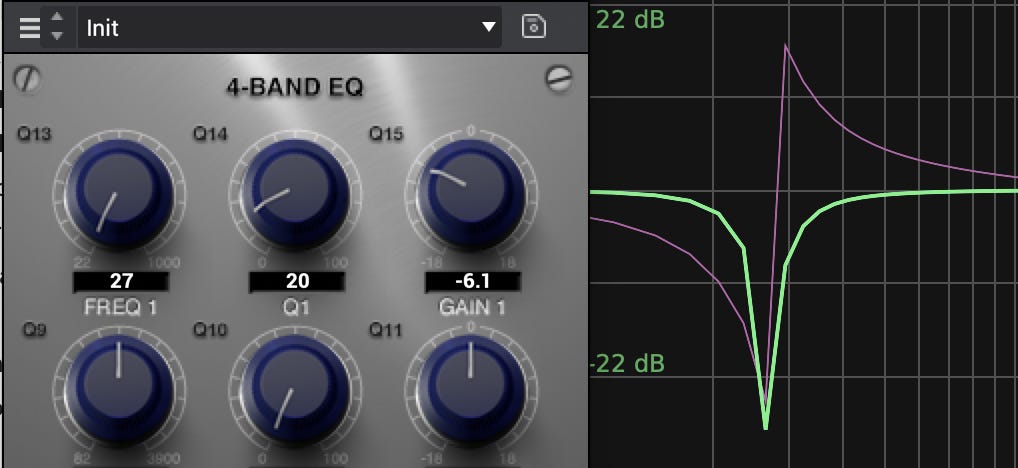
So, have you ever loaded an instance of this EQ and gotten some CRAZY sounding results when you’ve tried to eq something..
yeah me too..
Its hard to really hear whats happening, sometimes it feels like the darn thing is broken..
Well not quite..
It seems that this was developed without an anti aliasing filter or something.
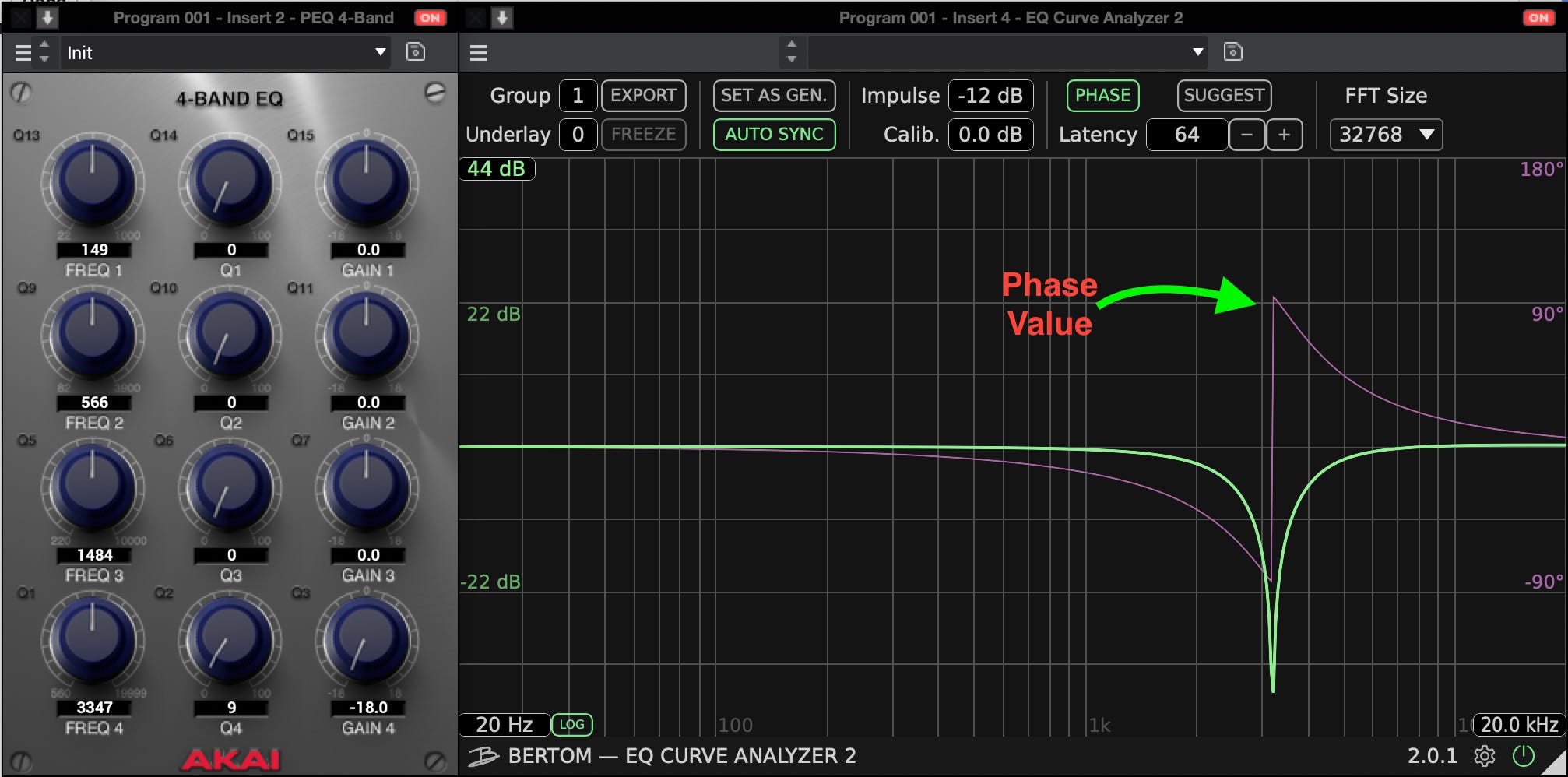
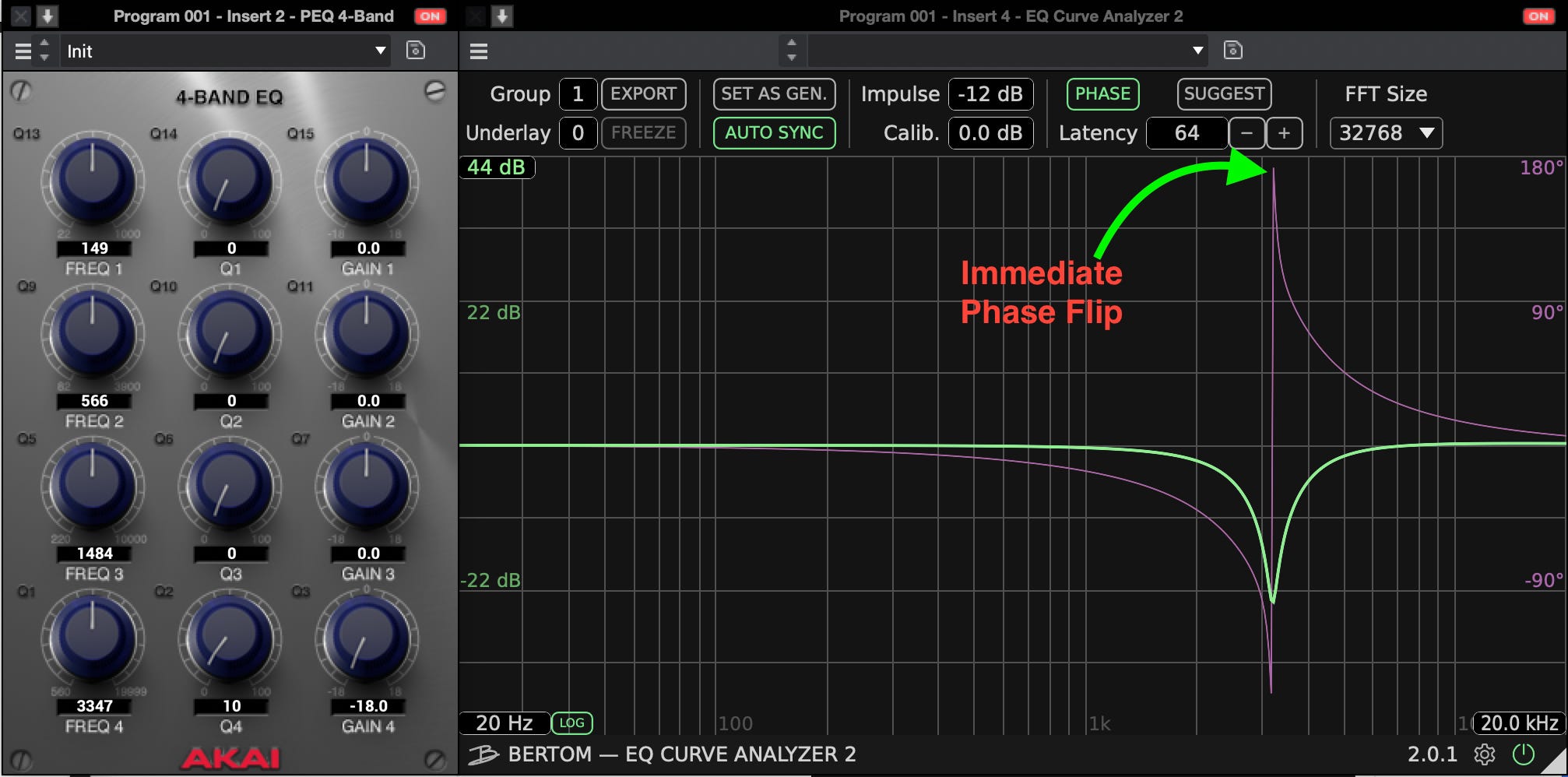
after running it through a EQ Curve Analyzer I Found these results below …
So it seems that as you increase the Q, the amount of gain applied reaches the Nyquist frequency causing aliasing or the ‘mirroring’ of frequencies back into the signal.
you can see the maximum gain allowed when the center frequency is at 9 and the gain is fully reduced.
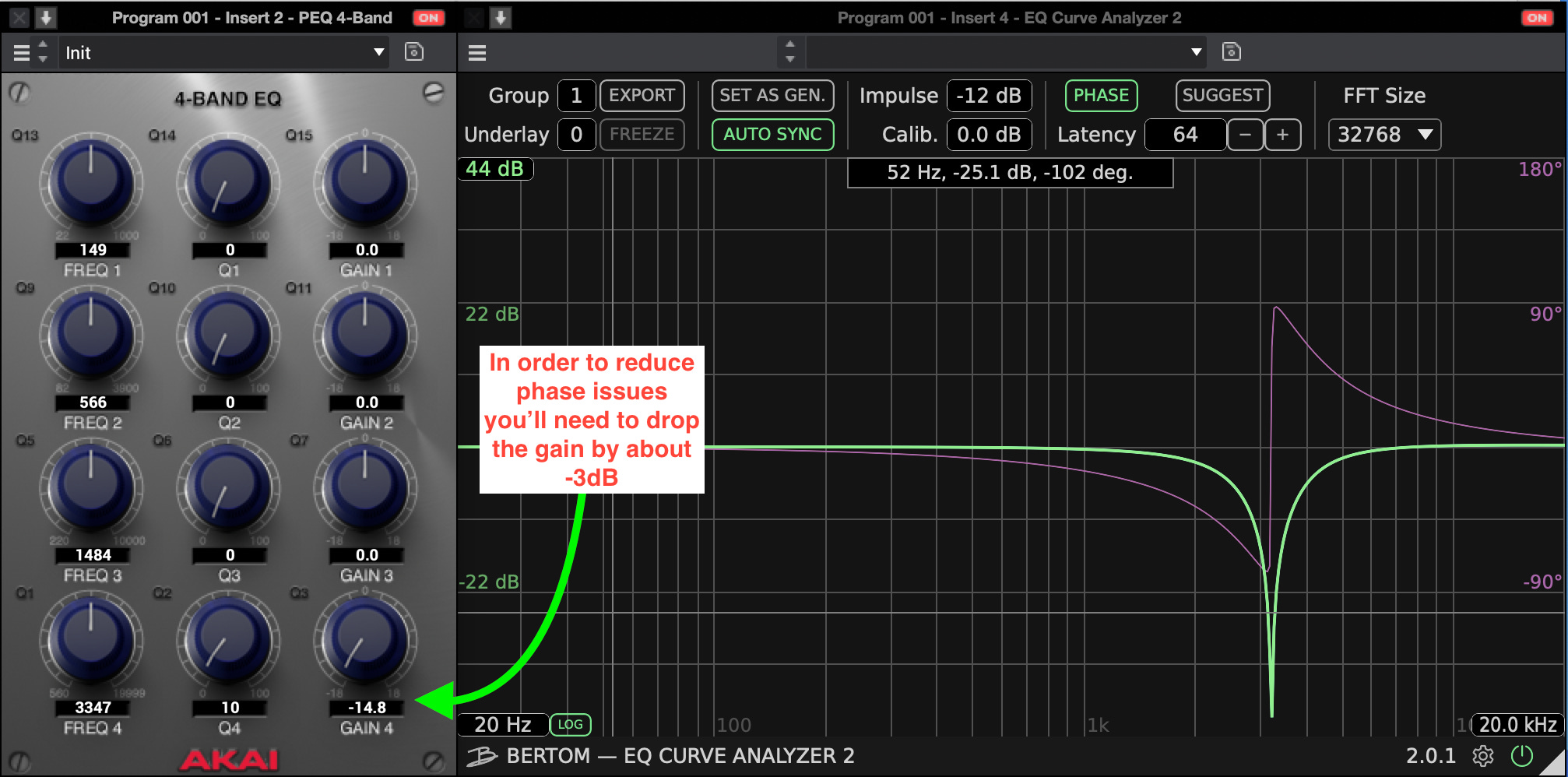
When the frequency hits the lowest point the (Nyquist frequency) the signal is aliased back into the flow and causes 1.) an immediate decrease in gain at the center frequency 3347Hz and 2.) an adjustment of the phase due to new frequencies introduced.
adjusting the gain will help for the artifacts, however unless you have a really good ear you’ll be shooting in the dark.
So if you want to avoid errors in your audio or EQ settings then you’ll need to adjust how you’re approaching your EQ..
*Treat the Q gently*
NOW…
If you want to get even more precise/surgical EQ you’re going to need to recognize a few things..
Since there is no apparent anti-aliasing filter inside of the plugin, you’ll need to know a bit about how the Q on EQ works.
In equalizers, Q is the ratio of center frequency to bandwidth, and if the center frequency is fixed, then bandwidth is inversely proportional to Q—meaning that as you raise the Q, you narrow the bandwidth.
-Learn with PreSonus
Really what this means is that the higher the Q, the more narrow the bandwidth..
that’s about the extent of my knowledge (for now)
lol
But nonetheless
With PEQ4 and PEQ 2Band 2 Shelf, increasing the Q value is also increasing the gain…
However, this isn’t globally..
The plugin seems to let more low-frequency information in when trying to cut.
Not all of the EQ settings work on the low frequencies. I imagine this is designed to let more low frequency content through. .
However, you can still get precise readings in the lower range just know that you’ll need to revert to one of your more comfortable Q /Gain configurations.
SO you’ll need to dial back a bit on the gain and Q to get the settings you want..
That sounds like a lot..
however, I actually kindof like this EQ..
It reminds me of old busted hardware lol
.
So to sum up how to use it based on these minor discoveries
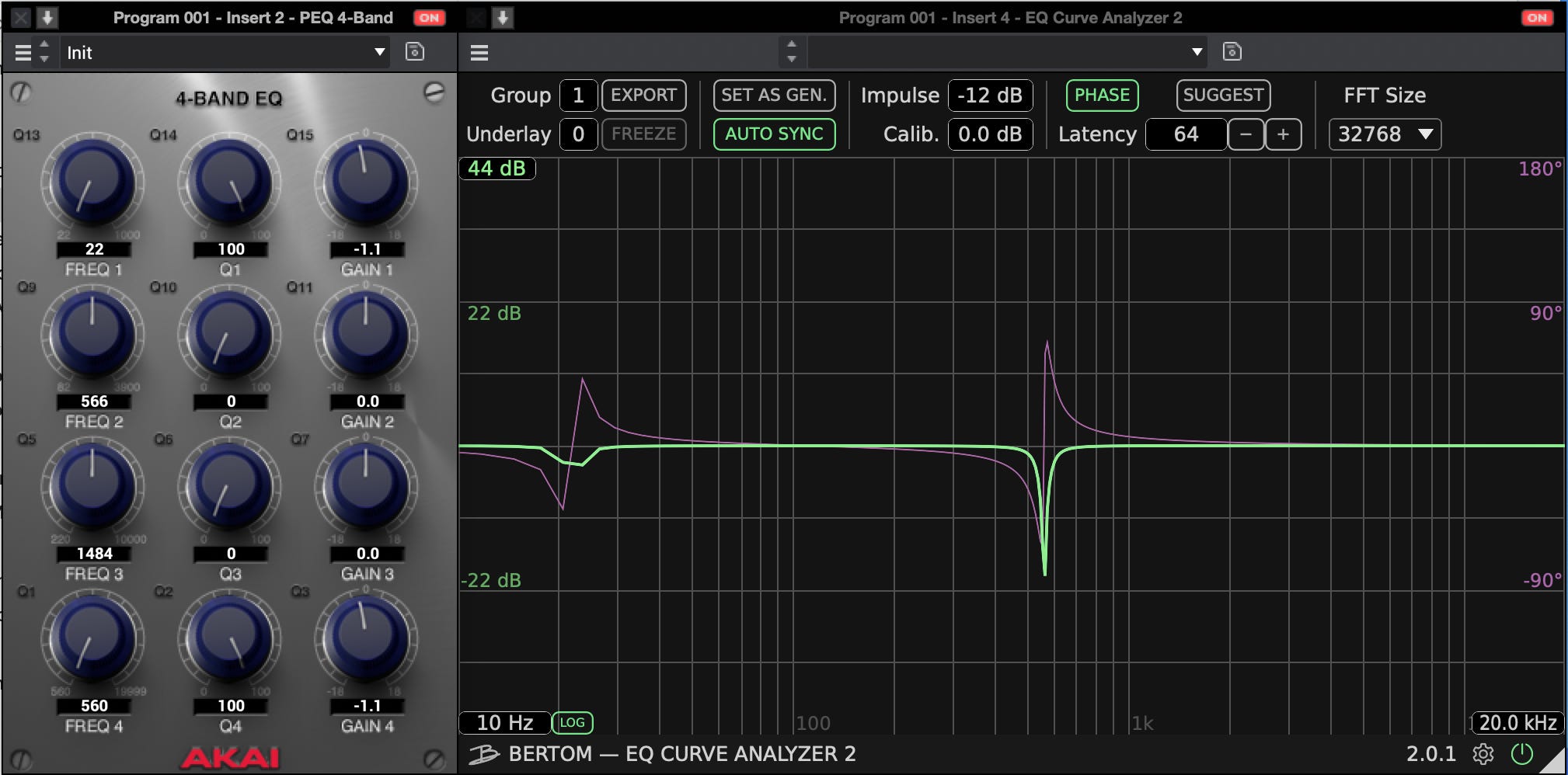
Use -1.1dB for precise cuts at Q values greater than 50.
Use -1.1dB for precise cuts at greater than 50Q
Use -2.2dB for deep cuts at a Q value of 50
and Ideally, you can ‘kind of’ view it as if you are half the q value then you can add a little more gain reduction.
OR you can just follow this simple ‘PEQ4 CHeat sheet lol “
PEQ4 CHEAT SHEET
Q7 Gives the most accurate reflection of gain changes.
Q10 -13.7dB max gain reduction
Q20 -5.8 max gain reduction
Q40 -2.9 max gain reduction
Q50 -2.2 max gain reduction
Q80 -1.4 max gain reduction
Q100 -1.1 max gain reduction
Hope this helps..
Again this should work on both PEQ 4 and PEQ 2band 2 shelf
Till next time
The SOVL Report is a reader-supported publication. To receive new posts and support my work, consider becoming a free or paid subscriber.